
Dedicated comics and manga mode with series and volume information
Catalog your bookshelf in a single photo
Librisync's AI bookshelf scanner reads spines the way you do. Take one photo of your shelf and we identify each book, match it to the right edition, and add it to your library — covers, authors, page counts and all.
Inside Librisync







Recognizing books…4 detected
Sapiens
Y. N. Harari
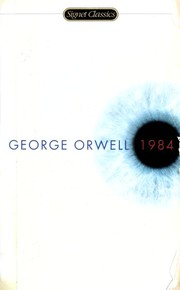
1984
George Orwell
Atomic Habits
James Clear
What you can do
One photo, dozens of books — no manual entry
Falls back to barcode and ISBN scan when you want it
Auto-matches against Google Books and Open Library
Catches duplicates and edition differences automatically
Works on phone and desktop, online or offline
How it works in the app
The feature is connected to the rest of your library, so every scan, note, shelf, and reading update stays useful later.
- 1
Why scan spines instead of barcodes?
Older books, foreign editions, and signed copies often have no scannable barcode. Librisync's spine recognition handles them all — and it's faster than scanning each barcode anyway.
- 2
Multiple shelves, multiple photos
Got a wall of bookshelves? Take one photo per shelf. Librisync stitches the results into a single library and shows you exactly what's missing if a spine was hidden or blurry.
- 3
From photo to organized library
Once your books are in, sort them by author, series, genre, or custom shelves. Add tags, mark what you've read, build a wishlist. Your shelf — searchable.
Private by default, useful when shared
Your library starts private. Share public shelves or curated wishlists only when you choose, keep personal notes to yourself, and use Librisync across devices without turning your reading life into a social feed.
- Private personal library
- Optional public sharing
- Works on phone and desktop
Connected to the whole library
Each feature works best with the others: scan books, organize them, track your reading, and come back to the right title whenever you need it.
Home library appScan shelves, auto-catalog books, organize tags and custom shelves, and check your home library from any device with Librisync.Book tracker appTrack unread books, pages, goals, streaks and reading stats in a private book tracker connected to your scanned library.Wishlist sharingCreate a curated book wishlist, share it by link, and let readers add selected titles to their own wishlist.View all Librisync features
Related guides
Use this guide if you are searching for "scan books app" and want a tool that stays useful after the first import.
scan books app
Scan books app
Scan books by shelf photo, barcode or ISBN and build a digital library faster than manual entry.
how to digitize your book collection
Digitize your book collection
Digitize a physical book collection as a searchable catalog, not a pile of PDFs. Scan shelves, match ISBNs and organize books.
ISBN barcode scanner
ISBN barcode scanner
Scan ISBN barcodes, match book metadata and add titles to your private Librisync library in seconds.
catalog books without barcode
Catalog books without a barcode
No barcode? Use shelf photos, title search or ISBN fallback to catalog older and unusual books in Librisync.
Frequently asked questions
- How accurate is the bookshelf scanner?
- Accuracy depends on lighting and spine readability. In good conditions Librisync identifies 90%+ of visible books on the first pass and lets you fix the rest in seconds.
- What if a spine isn't recognized?
- You can tap any unidentified book and search by title, author, or ISBN — Librisync remembers your correction for next time.
- Do you keep my photos?
- Photos are processed for recognition and then discarded. Only the matched book metadata is stored in your library.
- Is this free?
- Yes — the bookshelf scanner is included on the free plan.
Ready to organize your bookshelf?
Free forever plan. No credit card required.