






ISBN barcode scanner

    Scan ISBN barcodes when they help, use shelf photos when they don't

    ISBN scanning is perfect for many modern books. Librisync adds it to a wider workflow that also handles photos, search and manual corrections.

    scan book barcodereaders adding newer books with clear barcodesISBN scanning plus photo recognition, metadata matching and editable library records
    Sapiens
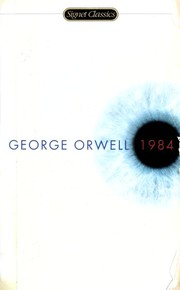
    1984
    Atomic Habits
    The Hobbit
    Recognizing books…4 detected

    Sapiens

    Y. N. Harari

    1984

    George Orwell

    Atomic Habits

    James Clear

    How Librisync helps

    Use this guide if you are searching for "ISBN barcode scanner" and want a tool that stays useful after the first import.

    scan book barcode

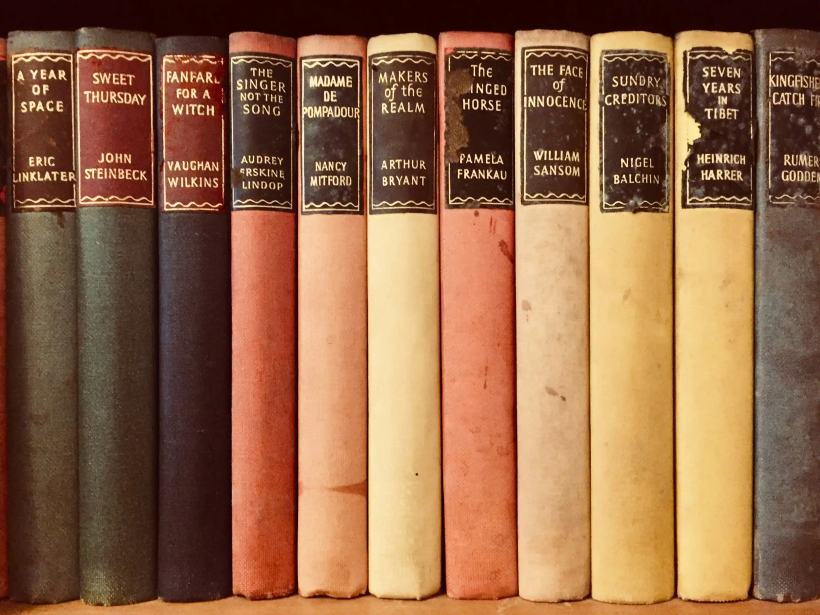
    barcode scanners are useful until a book is old, foreign, damaged or hidden on a shelf

    ISBN scanning plus photo recognition, metadata matching and editable library records

    Match the search intent before choosing a tool

    People searching for "ISBN barcode scanner" usually want a practical answer, not another abstract database. They need a way to turn real shelves into a reliable catalog. The page is most useful when it explains who the tool is for, what problem it solves, and how the workflow behaves once the collection grows beyond a few dozen books. Librisync is designed for readers adding newer books with clear barcodes, so the catalog can begin with a quick scan but still support careful review, correction, and organization later.

    Capture books quickly without losing control

    Fast capture should not mean messy data. A shelf photo can get many books into the system quickly, while ISBN and barcode lookup help with exact editions. Manual search stays important for older books, gifts, damaged covers, and editions without clean barcodes. The goal is not to automate every decision; it is to remove repetitive typing while keeping enough control to trust the final library.

    Keep the catalog useful after the first capture

    The real value appears after the first capture. A collection becomes useful when it answers practical questions: do I own this book, where is it, did I lend it out, have I started it, is it on my wishlist, and would buying it create a duplicate? Librisync connects those answers through shelves, tags, reading status, wishlist, notes, and duplicate checks instead of leaving them in separate lists.

    Use one library across shopping, lending, and reading

    A good personal library app should support everyday decisions, not only catalog maintenance. You should be able to check your collection while shopping, build a reading shortlist, keep track of loans, and return to unfinished books without rebuilding context. That is why Librisync connects "scan book barcode", reading progress, and ownership in one workflow.

    What to look for

    Capture method

    Start with a workflow that fits the collection you actually have. If your search is about "ISBN barcode scanner", the strongest setup is usually a mix of shelf photos, barcode scans, ISBN lookup, and manual search for older editions.

    Metadata quality

    Good metadata matters because a personal library is only useful when search works. Titles, authors, covers, ISBNs, page counts, series, and editions should be easy to review and correct.

    Organization depth

    A strong setup supports shelves, tags, reading status, notes, wishlist, loan tracking, and duplicate checks. That gives "scan book barcode" enough structure to stay useful long after the first import.

    Privacy and export

    Private collections should start private, with optional sharing and clear export options. You should not have to turn a home library into a public social profile just to organize it.

    Daily usefulness

    The best catalog is the one you actually open in a bookstore, on the sofa, or while planning what to read next. Librisync keeps ownership, reading context, and decisions in the same place.

    Example workflow for a real home library

    A practical setup starts with one shelf, not the whole house. Photograph the shelf, review the suggested matches, fix editions that look suspicious, and add broad shelves such as unread, favorites, borrowed, or reference. After that, add tags only where they help future decisions. This creates a catalog that is searchable from day one and still structured enough to scale to hundreds of books.

    1. 1

      Capture books by shelf photo, barcode, ISBN or search.

    2. 2

      Review matches, fix editions and add shelves or tags.

    3. 3

      Use the library while shopping, lending, reading and planning.

    Related guides

    Features · Bookshelf Scanner

    Features

    Questions people ask

    How long does it take to start?
    Most readers can start with one shelf in a few minutes. The important part is reviewing matches before importing a large collection, so the catalog stays trustworthy.
    Can I use Librisync without barcodes?
    Yes. Barcodes and ISBNs are helpful, but Librisync also supports shelf photos and search, which matters for older books and mixed collections.
    Is this better than a spreadsheet?
    For a living collection, usually yes. A spreadsheet can store titles, but it is harder to keep covers, metadata, reading status, wishlist, loans, and duplicate checks connected.
    Will my private library be public?
    No. Librisync starts private. Sharing is optional and can be limited to the shelves or links you choose.

    Build the book system around your real shelves

    Start with a few books or scan a whole shelf. Librisync keeps the structure useful after the first import.