







Librisync vs BDGest

    Librisync vs BDGest: BD collection software or a catalog for the whole bookcase

    BDGest is a French service built for BD collectors who want to manage their albums in detail, and it does that job thoroughly. This Librisync vs BDGest comparison looks at what each tool is built for: BDGest for BD collections, Librisync for a home library where novels, BD and manga share the same shelves. We also say plainly when BDGest is the better pick.

    BDGest alternativecomics and BD collectors who use BDGest or are deciding between it and LibrisyncA clear view of what BDGest offers as of October 2026, where Librisync takes another route, and which of the two fits your shelves.
    Sapiens
    1984
    Atomic Habits
    The Hobbit
    Recognizing books…4 detected

    Sapiens

    Y. N. Harari

    1984

    George Orwell

    Atomic Habits

    James Clear

    How Librisync helps

    We checked every BDGest fact on this page against BDGest's own websites and its French App Store listing on 17 October 2026. Plans and prices change, so read them as the state of mid-October and check bdgest.com before you decide.

    Librisync is not affiliated with BDGest Online. This page helps readers compare workflows and choose the right tool for their personal library.

    BDGest alternative

    Your BD albums are cataloged, but the novels, manga and nonfiction on the same bookcase are not, and you wonder whether one tool could cover all of it.

    A clear view of what BDGest offers as of October 2026, where Librisync takes another route, and which of the two fits your shelves.

    What BDGest does well

    BDGest Online is web software for managing a collection of BD, manga and comics, and it runs in the browser without installation. It tracks albums and the series you follow, lists the albums you are missing, and also handles para-BD such as statuettes, posters and ex-libris, plus magazines. Collectors can sell to each other through classified ads, and you can import a collection from BDBuzz, Bubble, BDovore or BDphile. The same family of sites includes Bédéthèque, and BDGest says more than 435,000 editions are available to add to your collection. The companion app BDGest Mobile scans an album's barcode, flags an album you already own, keeps your collection viewable offline and sends a notification when a new album comes out in a series you follow. For a dedicated BD collector, that is a deep toolkit.

    Prices and free tiers, as of October 2026

    BDGest Online has a free version limited to 500 albums, with basic statistics, CSV export and import, and email support. Premium costs 18 euros a year and removes the album limit, adding advanced statistics and filters and phone support. Librisync is free for up to 100 books, permanently, with no credit card and no subscription required. BDGest's Premium price is published, while LibriSync Pro is available from €2.99 a month, €24.99 a year, or €49.99 for lifetime access. Librisync carries no banner ads. When you buy a recommended book, it receives a small commission from the retailer, and your price stays the same. If budget for a large BD collection decides it, BDGest is ahead.

    Librisync vs BDGest on a mixed bookcase

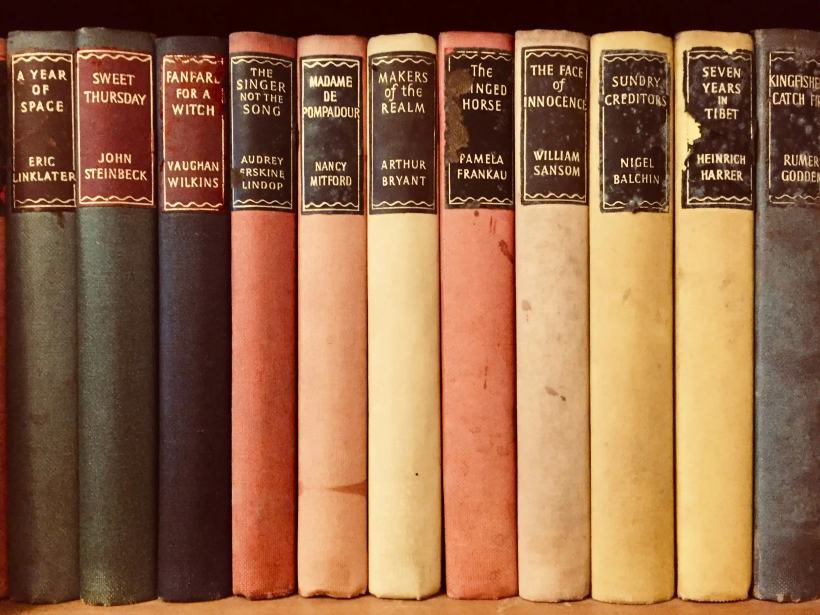
    In many homes, BD don't get a room of their own. Astérix albums stand next to a Camus in Folio, a run of One Piece from Glénat and a child's copy of Le Petit Prince. Librisync is built for that whole bookcase. You point your phone at a shelf, and the AI captures several books, BD or manga from one photo, with title, author, cover and ISBN. It works without a barcode as long as the cover or spine is visible. You check the matches, then import, and duplicates are caught during that review. A single new album goes in by barcode or ISBN in seconds, and series tracking shows you which volume is missing. Your catalog stays in sync on phone and laptop, and your saved books stay easy to search on your phone in the bookstore.

    When a BDGest alternative makes sense, and when it doesn't

    For a large collection that is mostly BD, BDGest fits well: a free version up to 500 albums and a published Premium price. Stay with it if para-BD and magazines matter to you, if you sell through its classified ads, or if you want a notification when a followed series gets a new album. Librisync makes sense as a BDGest alternative when the BD are only part of what you own. Then one catalog holds novels, essays, manga and BD together, along with reading progress, an exact count of your unread books, notes on who borrowed what, and one central wishlist, plus a quick check in the bookstore whether you already own a book. Some collectors will keep both, BDGest for the albums and Librisync for everything else. We think that is a reasonable setup, not a failure to choose.

    Updated on October 30, 2026

    Methodology

    This comparison looks at capture speed, metadata review, privacy, reading context, sharing, and how much work each tool creates once a personal collection grows.

    Librisync pros

    • Photo-first capture for real shelves
    • Private organization with reading context
    • Duplicate checks and wishlist in the same workflow

    Trade-offs

    • Newer ecosystem than long-established catalog tools
    • Best suited to personal libraries, not institutional circulation systems

    What to look for

    Share of BD in your collection

    If nine out of ten volumes on your shelves are albums, a BD-first tool like BDGest fits naturally. If BD share the shelves with novels, manga and nonfiction, one general catalog keeps everything in a single place.

    Collection size and budget

    BDGest's free version holds up to 500 albums, Librisync's free plan 100 books. Beyond that, BDGest Premium costs 18 euros a year as of October 2026, while LibriSync Pro starts at €2.99 a month or €24.99 a year for unlimited books.

    How items get in

    BDGest Mobile adds an album when you scan its barcode. Librisync can start from a photo of a whole shelf and also adds single books by barcode or ISBN.

    Collector extras or reading tools

    Para-BD, magazines and classified ads are the extras BDGest is known for. Librisync's extras are about reading and lending: page progress, yearly goals, the unread count and loan notes for books friends borrowed.

    Test both on one shelf before you decide

    Choose a shelf where BD and novels stand side by side, and leave your BDGest account exactly as it is. In Librisync, photograph that shelf, go through the matches and import them, then add one missing album by its barcode. Now look at what you have: does one catalog for the whole bookcase help you, or do you miss the album detail BDGest gives you? Either answer is fine. The free plan covers 100 books, and Librisync lets you export your data at any time, so the test costs you an evening and nothing more.

    1. 1

      Pick a shelf of BD and novels

    2. 2

      Photograph it and check the matches

    3. 3

      Compare with your BDGest list

    Related guides

    Features · Bookshelf Scanner

    Features

    Questions people ask

    Can I move my BDGest collection into Librisync?
    Yes. BDGest Online offers a CSV export, which you can upload directly to Librisync using the file import tab in manual book entry. You can preview the recognized albums, check duplicate warnings, and add them to your library. Alternatively, you can add albums using shelf photos or barcode scans.
    Is BDGest free?
    Yes, as of October 2026 there is a free version of BDGest Online limited to 500 albums. Premium costs 18 euros a year and removes the limit. The iPhone app BDGest Mobile is free to download and needs a BDGest Online account.
    Does Librisync recognize BD and manga, not only novels?
    Librisync's AI scanner is made for books, comics and manga: several of them can be captured from one photo, with title, author, cover and ISBN. It works without a barcode as long as the cover or spine is visible. As with any shelf photo, check the matches before import.
    Is Librisync a good BDGest alternative for a large BD collection?
    Honestly, for a large collection of albums and little else, BDGest is probably the better fit today: its free version holds up to 500 albums and its Premium price is known. Librisync is free up to 100 books and offers LibriSync Pro for unlimited collections. Its strength as a BDGest alternative is one catalog for every kind of book on your shelves.

    Build the book system around your real shelves

    Start with a few books or scan a whole shelf. Librisync keeps the structure useful after the first import.